SKU: 45129336908
root fertilizer for aquarium plants

root fertilizer for aquarium plants Aquario Neo Plants Tabs - Root Fertilizer

Sale price$22.36 Regular price$24.84
Save 10%

Pay in installments of $6.21 with ShopPay, AfterPay and Klarna

Shipping Estimate
USA
  • USA
  • CAN

Ships within 48 hours · Estimated delivery Sep 10 - Sep 15

Promo Codes Available:

For Your Every Summer RSVP, with Code: SUMMER15

Description

root fertilizer for aquarium plants Aquario Neo Plants Tabs - Root FertilizerAquario Neo Plants Tabs are slow release root tab fertilizers designed to deliver targeted nutrients directly to aquatic plant roots. Available in five different nutrient blends, the Neo Plants Tab system allows aquascapers to customize nutrient dosing based on plant needs, substrate condition, and overall tank setup. These tabs can be used in both nutrient rich and inert setups, including aqua soil, sand, and gravel. Theyre especially useful in

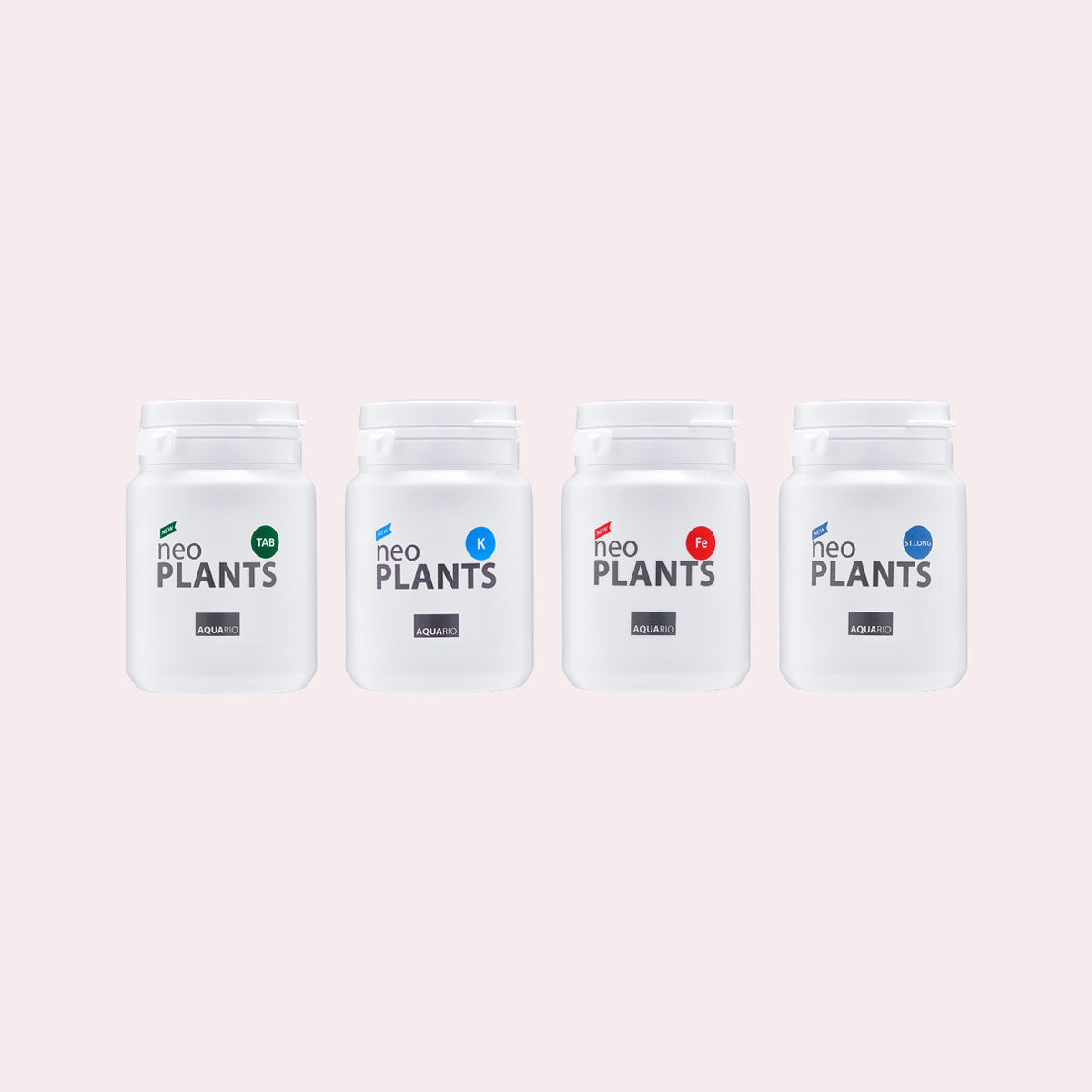
Aquario Neo Plants Tabs are slow-release root tab fertilizers designed to deliver targeted nutrients directly to aquatic plant roots. Available in five different nutrient blends, the Neo Plants Tab system allows aquascapers to customize nutrient dosing based on plant needs, substrate condition, and overall tank setup.

These tabs can be used in both nutrient-rich and inert setups, including aqua soil, sand, and gravel. They’re especially useful in mature planted tanks where substrate is depleted, helping restore nutrients without the need to uproot plants or replace it altogether. Easy to use, Aquario Neo Plants Tabs are ideal for addressing specific plant deficiencies or for aquascapers who prefer precision control over fertilization.

When to use Aquario Neo Plants Tabs
- When substrate is depleted in established tanks and signs of deficiencies are beginning to appear
- When using inert substrates like sand or gravel
- To support heavy root-feeding plants such as Cryptocoryne or Echinodorus
- To supplement or target specific nutrient deficiencies (K, Fe, etc.)

Usage Instructions and Recommendations
Insert tabs deeply into the substrate using aquascaping tweezers, spacing approximately every 7 x 7” area.

- Use TAB 1 as a general baseline fertilizer. Supplement with K or FE as needed
- For older substrates (1+ year), consider ST. LONG.
- Start with small amounts and observe response for 1 week
- Do not use if aquarium already has existing algae
- Best added during initial setup or water changes

Each tab lasts approximately 2 months, depending on plant growth and aquarium setup.

Below is an 8 month old established Ultum Nature Systems 90L 20 gallon tank using Aquario Neo Plants TAB1:

How the Neo Tab System Works

Tab Composition Effect & Usage
TAB 1 Nitrogen, Phosphorus, Potassium (general macronutrients) Promotion of rapid growth.

Best for: when there is a shortage of macronutrients or when rapid aquarium plant growth is required.
K Potassium Promotion of photosynthesis.

Best for: pinholes in aquarium plant leaves are observed.
FE Iron Color enhancement

Best for: poor color in new growth.
ST. LONG Organic Fertilizer Long-lasting, slow-release fertilizer

Best for: restoring old or inert aquarium substrate. Great for use with heavy root-feeding aquarium plants such as Echinodorus and Cryptocoryne species.
SOLID
Organic Fertilizer Supporting healthy aquatic plant growth in aquariums that do not have CO2 injection.
Do not use with other fertilizers. Aquario Neo Solid works best with substrates that do not already contain high nutrient levels.
Shipping Notes
  • Free Standard Shipping on $100+ Orders to the USA.
  • Except Preorder products are shipped in 48 hours.
  • Delivery to the USA:
  1. Standard Shipping : 3-10 business days
  • If time is of the essence, please consider selecting expedited delivery for faster service.
Exchange/Return Notes
  • We offer a 30-day return/exchange service after receiving.
  • Final sale items are not eligible for returns or exchanges.
  • To process your return/exchange, please contact us at [email protected]
  • Please click here for more details>>> Return & Exchange Policy
SKU: 45129336908

Discover Niche Categories That Outsell root fertilizer for aquarium plants

Top-Converting Item to Boost Your Average Order

4.6 ★★★★★
Based on 5 reviews
Sort
Highest Rating
Newest First
Oldest First
Product Reviews
J
Verified Purchase
Jason K.
Lexington, US
★★★★★ 5
Very Straightforward and Easy to Use
Reload type: One Time Reload
I have used this several times, and it has always been a smooth and convenient experience. The biggest advantage is how intuitive the process is. Reloading the balance is simple, quick, and easy to understand without unnecessary steps or confusion. It is especially useful for managing spending, setting a shopping budget, or keeping funds ready for future purchases. Instead of entering payment details every time, having balance available makes checkout faster and more convenient. I also appreciate how quickly the funds are applied, allowing immediate use once the reload is completed. This is one of those simple Amazon features that works exactly the way it should. Overall, easy, efficient, and user-friendly. I have been very satisfied with it. Five stars.
WAS THIS REVIEW HELPFUL?YesReportShare
Reviewed in the United States on April 21, 2026
M
Verified Purchase
Martini81
Houston, US
★★★★★ 5
Easy and simple: Exact Step-by-Step Guide to Reloading Your Balance
Reload type: One Time Reload
I found reloading my Amazon gift card balance much easier than expected. The process was simple and took about 5 minutes at most. Here are the exact steps to do it: ​Login: In the Amazon app or on Amazon.com, log in to your account. ​ Menu: Tap the 3 lines on the bottom right corner of your screen (next to Rufus, Amazon's AI). ​ Find Category: In the section highlighted "Shop by category," tap on Gifting & Registry (3rd option down in that section) and a drop-down menu will appear. ​ Select Gift Cards: On the drop-down menu, tap Gift Cards (first option). ​ Choose Your Action: "The Gift Card Shop" will appear. There you will have three options: "Redeem a gift card," "View your balance," and "Reload." ​ Start Reload: To add funds, tap Reload. ​ Select Type: Scroll down to "Add funds directly to your Amazon Gift Card balance" and tap which reload type you want (one-time, low balance auto-reload, or scheduled auto-reload). ​ Enter Amount: Choose your reload amount. The default is $25, but you can type in your own amount as well (the minimum amount is $5.00). ​ Finish: Tap the orange "Buy Now" tab. ***I used the Amazon app using the u i OneUI version 8.0 these Amazon app on Android version 16 (Baklava) on a Samsung Galaxy S25 Ultra. Others may have a slight variation of the menu setup on the Amazon app.***
WAS THIS REVIEW HELPFUL?YesReportShare
Reviewed in the United States on April 22, 2026
K
Verified Purchase
Kenneth Lucas
Belleville, US
★★★★★ 5
Easy way to add balance
Reload type: One Time Reload
Reloading my Amazon gift card balance has been easy and convenient. I like using it when I want to keep a little money set aside for Amazon orders or make checkout quicker without thinking about which card I want to use. The process is straightforward, the balance shows up fast, and it has been reliable every time I have used it. It is also helpful for budgeting because I can add a set amount and then use that balance for regular purchases. Nothing complicated about it, which is exactly why I like it.
WAS THIS REVIEW HELPFUL?YesReportShare
Reviewed in the United States on May 28, 2026
L
Verified Purchase
Laura Sinkler
Lowell, US
★★★★★ 5
Monthly reload for Subscribe & Save Orders
Reload type: One Time Reload
Not a glamorous review, but a genuinely useful tip for Subscribe & Save users. I reload about $100 to my gift card balance once a month, a week or two before my S&S order processes. Amazon pulls each Subscribe & Save item as a separate transaction, which means 10+ individual charges hitting your bank account on before or on ship day. A headache for budgeting and a minor anxiety trigger if you're watching your account for unauthorized activity. Loading the balance first consolidates everything into one clean transaction. Your S&S order then pulls from the gift card balance rather than your card directly, and your bank statement stays tidy. The side benefit is built-in budget discipline. I set about $100 as my monthly Amazon ceiling - if my cart runs over, something gets pushed to next month. It's a simple system that keeps spending intentional without any extra effort. If you're a regular S&S user who wants cleaner finances and less ""wait, who charged this and what was that charge?"" moments, this is worth making a habit.
WAS THIS REVIEW HELPFUL?YesReportShare
Reviewed in the United States on June 6, 2026
T
Verified Purchase
The Bee’s Knees. 🌸🐝
Battle Creek, US
★★★★★ 5
Great! 💳✨
Reload type: One Time Reload
I love using my Amazon balance! It’s always so quick and easy to use, it’s convenient and posts quickly without issues, I’ve always had good experiences with reloading my balance.
WAS THIS REVIEW HELPFUL?YesReportShare
Reviewed in the United States on June 8, 2026

recommand products