Pay in installments of $6.44 with
 ,
,
 and
and

Shipping Estimate
USA
- USA
- CAN
- USA
- CAN
Ships within 48 hours · Estimated delivery Sep 12 - Sep 17
 Promo Codes Available:
For Your Every Summer RSVP, with Code: SUMMER15
Description
plant that attracts money like magnet Buy 100% Original Money Magnet Crystal Tree – SOLAVA WORLDMoney Magnet Tree is a beautiful tree for money, good luck, abundance, and wealth. It is similar to the picture shown and it is the best crystal showpiece for home decor as well as attracting money. Size of Money Magnet Tree This pyrite, green aventurine, citrine crystal tree for wealth and good luck is 10 12 inches and has 300 crystal chips of citrine crystal, green aventurine, and pyrite crystal. Natural Money Magnet Tree The Money Magnet crystal
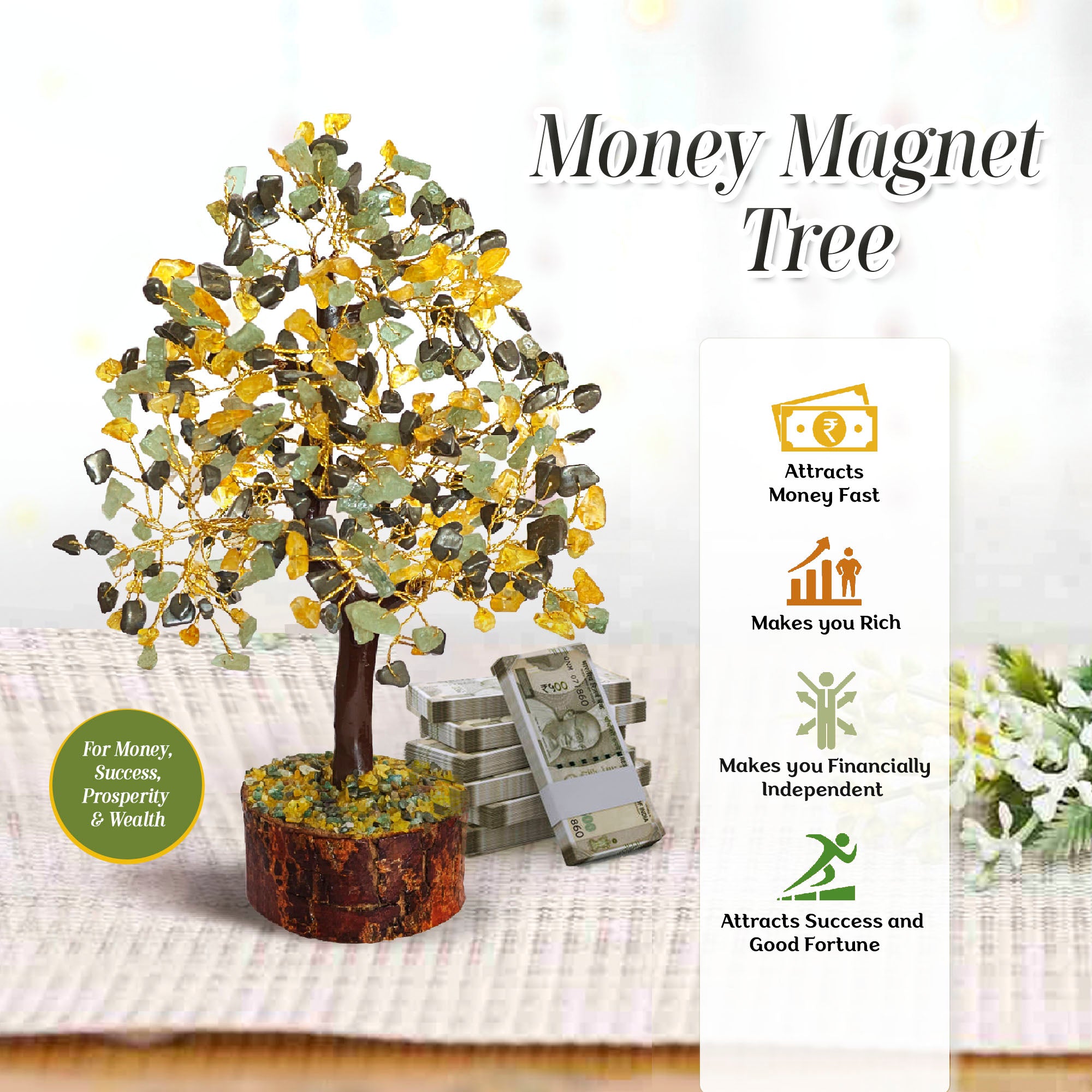
Money Magnet Tree is a beautiful tree for money, good luck, abundance, and wealth. It is similar to the picture shown and it is the best crystal showpiece for home decor as well as attracting money.
Size of Money Magnet Tree - This pyrite, green aventurine, citrine crystal tree for wealth and good luck is 10-12 inches and has 300 crystal chips of citrine crystal, green aventurine, and pyrite crystal.
Size of Money Magnet Tree - This pyrite, green aventurine, citrine crystal tree for wealth and good luck is 10-12 inches and has 300 crystal chips of citrine crystal, green aventurine, and pyrite crystal.
Natural Money Magnet Tree -
The Money Magnet crystal tree is a beautiful combination of powerful and healing crystals that are chosen to enhance Money, Abundance, and Prosperity. The crystals used in this tree are pyrite, citrine, green aventurine.
Pyrite crystal attracts wealth and money, Citrine is associated with attracting financial success, and Green Aventurine attracts good luck and opportunity. So this tree has a complete guide to start your financial journey and protect it from negative energies.
The Money Magnet tree has these special and powerful crystals that can help the wearer to get more money and make you financially strong. Money Magnet tree is 10-11 inches long and has 300 crystal chips tied with the various branches of the tree. This tree also has a wooden base to support the whole tree. Apart from its powerful spiritual properties, this tree has a beautiful appearance so that you can also use it as a home décor item.
How to Cleanse and Recharge Money Magnet Tree -
It is essential to ensure the cleansing and recharging of the Money Magnet Tree to maximize its potential benefits. Here are a few ways to cleanse and recharge this Tree -
- Use Moonlight - Keep your Money Magnet Tree under moonlight for 4 - 6 hours or overnight to recharge the crystal Tree.
- Use Sunlight - Keep the Money Magnet Tree under the sunlight for 3- 4 hours to recharge the Tree.
- Use Smog – Use the smog of herbs or incense sticks and let the smog waft over the crystals of the tree to remove negative energies from the tree.
How to use the Money Magnet Tree –
Although the trees sold by us are properly cleansed and recharged still when you get your Money Magnet tree you must follow these steps before using it as might get dirty -
- Step (i) Cleanse the Tree - When you receive the tree, it is highly crucial to cleanse the tree as it might have been handled by various people before you so cleanse it by keeping it in sunlight for 1-2 hours.
- Step (ii) Manifest your desire - Now keep the tree in front of you, shut your eyes, and manifest what you want from the benefits of the Money Magnet tree. Now keep the tree in your home, or office while keeping these positive intentions in you.
Who can use the Money-Magnet Tree?
People who want to become rich, successful, fortunate, and positive can use this money magnet tree. The tree is super beneficial in attracting wealth, and it can be used by anyone. Money Magnet trees help to protect the wearers against several negative energies and keep them focused, motivated, and financially independent. It can be used by men, women, girls and boys irrespective of their age, gender, zodiac sign, rashi or nakshatra.
Shipping Notes
- Free Standard Shipping on $100+ Orders to the USA.
- Except Preorder products are shipped in 48 hours.
- Delivery to the USA:
- Standard Shipping : 3-10 business days
- If time is of the essence, please consider selecting expedited delivery for faster service.
Exchange/Return Notes
- We offer a 30-day return/exchange service after receiving.
- Final sale items are not eligible for returns or exchanges.
- To process your return/exchange, please contact us at [email protected]
- Please click here for more details>>> Return & Exchange Policy
4.3 ★★★★★
Based on 17 reviews
Sort
Product Reviews
★★★★★ 5
Doctor Doctor-give me the news!!! This purse is…
Color: Black, Color: Black
Amazing!!! This is an updated review because the seller sent me a replacement.
I use this bag for photography. It’s easy to reach into and set down as needed. There’s room for one body and two lenses and multiple accessories. I use a wrist grip and do street photography. I don’t like to carry my camera around my neck and draw attention. This bag is perfect for keeping my camera in between shots.
The bags interior is super soft and the leather itself on the outside feels high-quality and is stitched very well. Being footed is an extra great quality so that I feel confident setting it down. The extra long strap is great, as a large bag like this needs to be worn as a crossbody for most people I upgraded to a wide strap for the weight of my camera system.
I always update my reviews in a year. So I will come back and let you know how it’s holding up!
(Old review)
***********Arrived with someone else’s complaint already prepared for me! What an entrance!! She was right, the tag and bag don’t match.
It is the bag I ordered but….
VERY VERY DAMAGED!!! For this much money, where is the quality control? Someone else’s return, and multiple gauges throughout the leather of the bag?
I uploaded about 5 different places where the leather is gauged-and then stopped photographing.
Sadly, I think this is a good bag - a bit overpriced, and small, the zipper is iffy as well but clearly the bag isn’t a keeper in this condition. Shame on the seller.
WAS THIS REVIEW HELPFUL?YesReportShare
Reviewed in the United States on January 10, 2025
★★★★★ 5
Versatile small tote
Perfect for use as a larger purse or a small tote. I carry a very minimalist/tiny purse, so this bag is the perfect day bag for me. Fits my purse, water bottle, tablet, sunglasses, and pretty much whatever else I need to throw in. I was pleasantly surprised by how well designed the interior of this bag is in terms of different compartments/pockets to organize your stuff. The canvas fabric is substantial. I have machine washed it (in a lingerie bag and then and dried flat) and it came out great.
I would absolutely buy again (and will if it’s still available when my current one wears out!).
WAS THIS REVIEW HELPFUL?YesReportShare
Reviewed in the United States on May 6, 2021
★★★★★ 5
Great quality
Color: I19004-coffee
Great quality,easy to locate you stuff, smell like leather. It is absolutely beautiful!!
WAS THIS REVIEW HELPFUL?YesReportShare
Reviewed in the United States on January 30, 2026
★★★★★ 5
My favorite bag
I was looking for a moderately sized bag with shoulder straps, pockets for organization, and a rigid bottom. I needed it to be just right, in a very specific way, and this more than meets my expectations.
This has a great pocket on the back with a heavy duty zipper that's just right for a wallet or a phone. It's got a couple of zippered inner pockets, one of which is part of a separator that divides the bag almost in half. There are open pockets on the other side that are large enough for a sunglasses case or maybe a water bottle.
You could easily put books, food, makeup, diapers, whatever you need in this bag. It's heavy duty, easy to organize, and sleek to carry. I've been carrying it daily for several weeks and it has shown literally no signs of wear. It's in excellent shape, although I've been stuffing it full and schlepping it everywhere.
I can't recommend this bag too highly if you want a heavy duty, medium sized, minimal looking bag, with tons of organization options. It's my favorite bag, hands down, and think it will last me many years.
WAS THIS REVIEW HELPFUL?YesReportShare
Reviewed in the United States on January 10, 2019
★★★★★ 4
Small but durable
The bag is alot smaller than I anticipated it to be, and the color is not as vibrant as expected as well. The adjustable strap extends the bag to about hip level. It's pretty sturdy and the side pockets are very convenient. The zipper is a little weird, because when zipped the end sides of if the zipper don't connect with the bag, leaving small openings for items to fall out if the bag is on its side.
WAS THIS REVIEW HELPFUL?YesReportShare
Reviewed in the United States on January 11, 2022