SKU: 61200125633
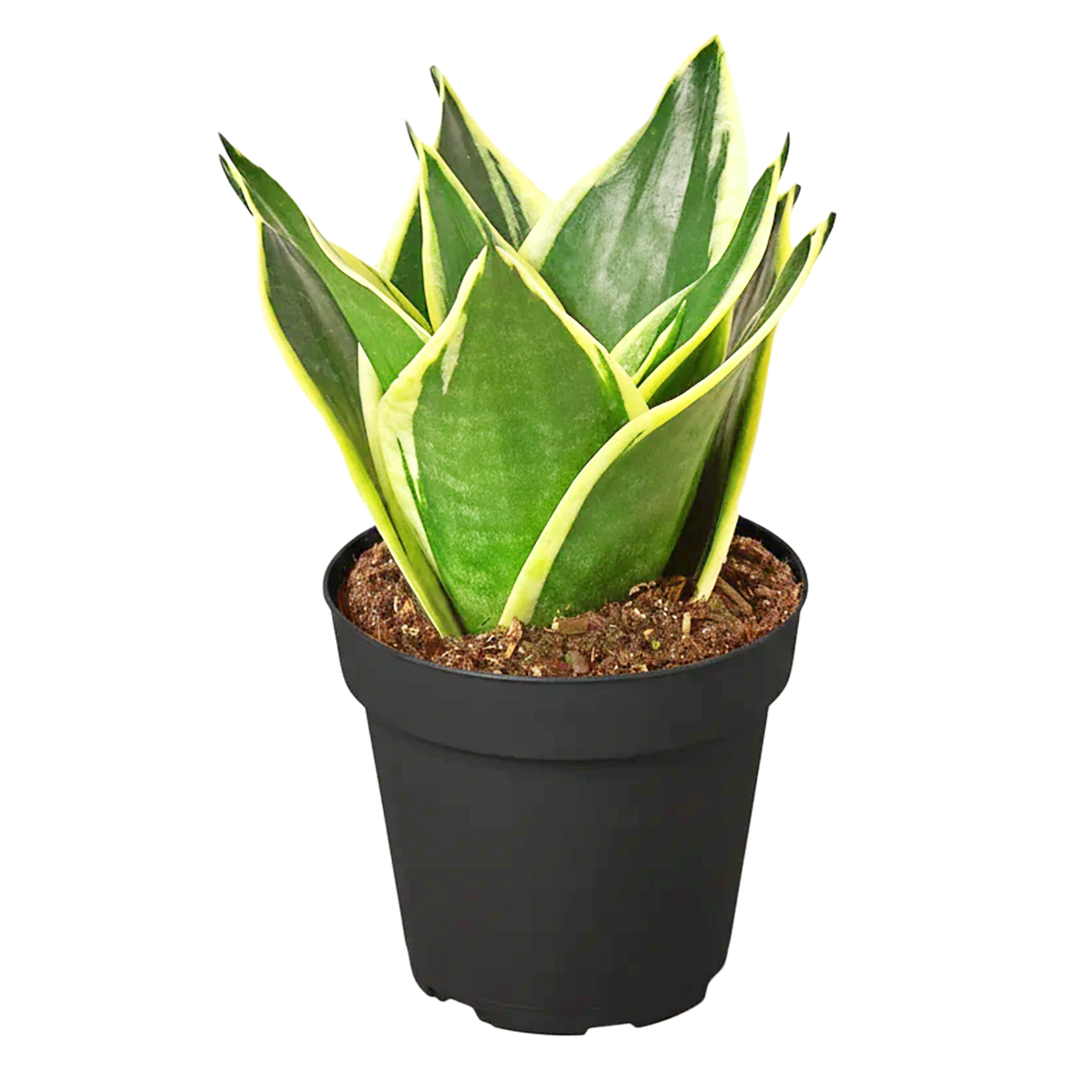
snake plant black and gold

snake plant black and gold Snake Plant Sansevieria Black Gold Superba

Sale price$18.76 Regular price$20.84
Save 10%

Pay in installments of $5.21 with ShopPay, AfterPay and Klarna

Shipping Estimate
USA
  • USA
  • CAN

Ships within 48 hours · Estimated delivery Jul 23 - Jul 28

Promo Codes Available:

For Your Every Summer RSVP, with Code: SUMMER15

Description

snake plant black and gold Snake Plant Sansevieria Black Gold SuperbaDescription Light Soil Water Hardiness Sansevieria Black Gold is a cultivar of Trifasciata Snake Plant. This plant has long sword shaped blackest green leaves with golden edges that can grow up to 3 feet long. Like other plants in the Sansevieria family, Black Gold is very resilient and forgiving. It thrives even in low light spots and needs very little care. Sansevieria Black Gold is very compact. It fits well in small spaces and makes for a perfect

  • Sansevieria Black Gold is a cultivar of Trifasciata Snake Plant. This plant has long sword-shaped blackest green leaves with golden edges that can grow up to 3 feet long. Like other plants in the Sansevieria family, Black Gold is very resilient and forgiving. It thrives even in low light spots and needs very little care.

    Sansevieria Black Gold is very compact. It fits well in small spaces and makes for a perfect plant for home and office. Plus, as a Snake Plant, Black Gold is among the best air-purifying plants, according to a study by NASA.

    Black Gold produces white-green flowers, but it is extremely rare for this plant to bloom.

  • Black Gold grows best in bright, indirect light, but it also tolerates low light conditions and fluorescent lighting. If grown outdoors, put this plant in a partially shady spot to avoid harsh direct sunlight.

    Snake Plants have a low watering need. Drain well after each watering. Water thoroughly and let the soil dry completely before the next watering.

    Snake Plants are vulnerable to root rot, so they need well-drained, porous potting soil.

    Snake Plants grow best in normal room temperatures (between 65°F-85°F). They are not frost-tolerant and do not grow well when the temperature drops below 55°F. Avoid high humidity.

    Black Gold Snake Plant should be fertilized once during the growing season (spring/summer) with diluted houseplant fertilizer.

    This plant is mildly toxic if ingested, so keep it out of reach of pets and children.
  • USDA Zone 9-12

    USDA Zone 9b: to -3.8 °C (25 °F)

    USDA Zone 10a: to -1.1 °C (30 °F)

    USDA Zone 10b: to 1.7 °C (35 °F)

    USDA Zone 11: above 4.5 °C (40 °F)

Shipping Notes
  • Free Standard Shipping on $100+ Orders to the USA.
  • Except Preorder products are shipped in 48 hours.
  • Delivery to the USA:
  1. Standard Shipping : 3-10 business days
  • If time is of the essence, please consider selecting expedited delivery for faster service.
Exchange/Return Notes
  • We offer a 30-day return/exchange service after receiving.
  • Final sale items are not eligible for returns or exchanges.
  • To process your return/exchange, please contact us at [email protected]
  • Please click here for more details>>> Return & Exchange Policy
SKU: 61200125633

Discover Niche Categories That Outsell snake plant black and gold

Top-Converting Item to Boost Your Average Order

4.7 ★★★★★
Based on 27 reviews
Sort
Highest Rating
Newest First
Oldest First
Product Reviews
K
Verified Purchase
Kathy Thayer
Charlottesville, US
★★★★★ 5
This hub worked when others did not
Color: Pink, Color: Pink
I have an Asus Zenbook that's at least 7 years old (ancient by technology standards) and it has a very problematic USB hub. I love my laptop. It functions well except for the hub. I usually get OEM peripherals for my electronics. (I use PC and Android. I'm not a Mac/Apple user.) In the case of the USB hub for my Zenbook the Asus replacement hub is garbage with a 1 star review on Asus website with warnings not to buy because of how fast it stops working. The Asus hub I purchased 3 months ago stopped working after using it 3 or 4 times. That's unacceptable in my opinion. I have tried other brands including Belkin, Anker and 2 others that I do not remember. None of them would deliver power to my laptop despite claiming they would. So I decided to try this hub. I need an external hub for the multiple USB ports because the Asus has no ports on the Zenbook itself, and power delivery (in a perfect world when everything works properly) should also be able to go thru the hub to charge the laptop. On my laptop, there's only one USB-C port to connect either direct power supply or a hub. You can't have both connected at the same time unless the hub allows power transfer to laptop, which the other brand hubs that I tried wouldn't support that power transfer, much to my frustration. This hub is the first hub that I've tried that will actually power my laptop. (I also switched my power supply cable to a Thunderbolt, so the combination of the new cable with this hub works.) I use a wireless mouse with a dongle that needs to be plugged in. I have a digital voice recorder that plugs in directly via USB-A to transfer files to the laptop. I use SD cards in my camera and MP3 player that I need a hub to transfer that media onto the laptop. This hub will allow all of that. Every port works that I have tried on this Acer hub and this hub does the thing that the other hubs failed to do on my laptop. The power transfer was the big issue for me and this Acer hub solved the problem that several others including the OEM, Asus, failed to do. Because of how many months I have been dealing with the power supply problem, hubs not delivering what they promised and this being the only hub that did work, I rate this product at 5 stars. It's less expensive than the Asus hub that stops working immediately after purchasing. It has more ports than the Asus hub with the extra SD card reader that the Asus hub doesn't have. It's a heavier duty outer shell compared to the Asus. The cord is thicker and better protected compared to the Asus, so it reduces the chance for stressing or bending the cord in a way that could break the wires inside or break the connector away from the wires. It's just a better design overall, when compared to the Asus hub. I am extremely satisfied with this Acer hub and I would recommend it since it did the "impossible" task that no other brand could do for me. 5 stars, indeed.
WAS THIS REVIEW HELPFUL?YesReportShare
Reviewed in the United States on April 8, 2024
A
Verified Purchase
Ash
Battle Creek, US
★★★★★ 5
Actually amazing hub, it just works!
Color: Space grey
This dock is carrying my handheld system so hard right now, and for such a good price. I have literally every port filled including using the HDMI and it hasn't failed on me at all.
WAS THIS REVIEW HELPFUL?YesReportShare
Reviewed in the United States on April 26, 2026
E
Verified Purchase
Elaine Enoch
Bozeman, US
★★★★★ 5
Functional and portable
Color: Space grey
Very useful to organize multi connections needed for home office work set up. Small and portable.
WAS THIS REVIEW HELPFUL?YesReportShare
Reviewed in the United States on June 8, 2026
A
Verified Purchase
A Humble Opinion
Carnegie, US
★★★★★ 4
Good little device
Color: Space grey
Nice little device. Works well with external drives and HDMI connections to a MacBook Air. Doesn't work great with a mouse USB 2 donegal - sporadic. Does work with USB 2 keyboard and a monitor HDMI for creating a "docking station" for my MacBook, but difficult with no mouse option. Good quality. Fairly compact. Nice color! Decent value for money for a known brand.
WAS THIS REVIEW HELPFUL?YesReportShare
Reviewed in the United States on May 3, 2026
T
Verified Purchase
tamerbey
Boise, US
★★★★★ 5
No annoying "Disk not ejected properly" messages!
Color: Space grey
I use these with MacBook Airs, both Intel and Apple M3, and they stay connected. Previous —cheaper—dongles kept disconnecting with no apparent moving of the computer or the dongle. I'd get the annoying "Disk not ejected properly" message repeatedly, meaning I'd have to remove the dongle plug, reinsert it, and hope that the external device showed up on the computer and stayed connected. These always stay connected and seem to work well for the external devices I use. I think it's in the plug: with the Acer, I hear a distinct little click when the plug is fully inserted—perhaps some subtle locking mechanism the cheaper dongles did not have.
WAS THIS REVIEW HELPFUL?YesReportShare
Reviewed in the United States on May 5, 2026

recommand products