Pay in installments of $5.17 with
 ,
,
 and
and

Shipping Estimate
USA
- USA
- CAN
- USA
- CAN
Ships within 48 hours · Estimated delivery Sep 7 - Sep 12
 Promo Codes Available:
For Your Every Summer RSVP, with Code: SUMMER15
Description
areca palm salt tolerance Chrysalidocarpus lutescensChrysalidocarpus lutescens Chrysalidocarpus lutescens, still widely known under the synonym Dypsis lutescens, is a clustering palm with upright cane like stems and long, arching feather leaves. Several stems rise from the base, creating a soft, fountain shaped crown with yellow green petioles and narrow leaflets arranged along each frond. Indoors, this palm develops slowly into a broad, leafy specimen with a layered vertical outline. As the stems
Chrysalidocarpus lutescens
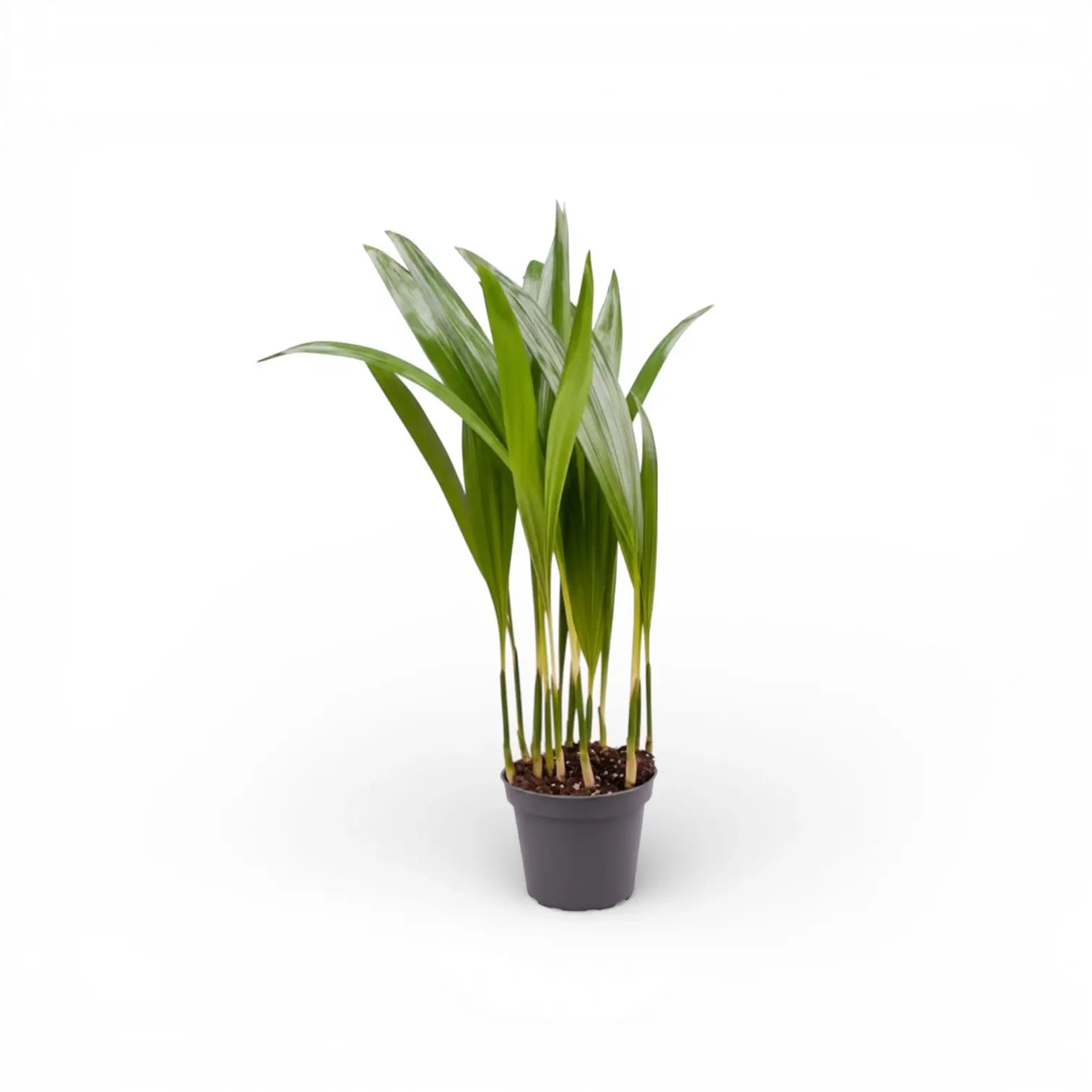
Chrysalidocarpus lutescens, still widely known under the synonym Dypsis lutescens, is a clustering palm with upright cane-like stems and long, arching feather leaves. Several stems rise from the base, creating a soft, fountain-shaped crown with yellow-green petioles and narrow leaflets arranged along each frond.
Indoors, this palm develops slowly into a broad, leafy specimen with a layered vertical outline. As the stems mature, they become more defined, while the fronds keep the crown airy, layered, and finely textured.
Golden cane palm details
- Golden cane palm forming grouped yellow-green stems
- Arching pinnate fronds with many narrow green leaflets
- Yellow-green leaf stalks and midribs give the plant its warm tone
- Can form a sizeable indoor floor plant over time
- Rarely flowers indoors; mature outdoor plants may produce yellow flowers and small fruits
Eastern Madagascar origin and clumping growth
Chrysalidocarpus lutescens is native to Madagascar and belongs to the palm family, Arecaceae. In habitat and tropical cultivation it can grow as a shrub-like or tree-like palm, with multiple stems forming a broad clump. Indoors, its final shape depends on light, root space, and steady watering.
Each stem grows from a central crown. Fully brown fronds can be removed at the base, while green fronds should stay in place so the palm retains enough leaf area for new fronds. New fronds emerge from the growing points and gradually open into the palm’s feathered canopy.
Because this palm forms a clump, uneven growth is normal: some canes may sit lower while newer stems fill the centre. Turn the pot occasionally so the crown develops evenly, and keep the leaf bases open enough for inspection because pests often settle where the fronds meet the stems.
Keeping Chrysalidocarpus lutescens evenly leafy
- Light: Use a bright, indirect position. Gentle morning or late afternoon sun suits acclimated plants, while strong midday sun behind glass can scorch fronds.
- Watering: Keep the substrate evenly lightly moist during active growth, then let the upper layer dry before watering again. Avoid cold, saturated soil.
- Substrate: Use an airy, well-drained palm or houseplant mix with mineral drainage material to keep the root zone open.
- Temperature: Keep the palm warm, ideally above 18 °C, and avoid cold draughts or temperatures below about 15 °C.
- Humidity: Average to moderate indoor humidity is workable, although very dry heated air can crisp leaflet tips. Use a humidifier where winter air becomes persistently dry.
- Feeding: Use a low-strength fertiliser in spring and summer. Too much feed can show as yellowing or salt stress on leaflet tips.
- Repotting: Move up one pot size when roots have filled the container, often after 2–3 years. Avoid oversized pots that keep the mix wet for too long.
- Pruning: Remove only fully spent fronds. Cutting green fronds reduces the palm’s active leaf area.
- Leaf cleaning: Wipe dusty leaflets gently or rinse the fronds with lukewarm water so the narrow leaflets can receive light evenly.
Frond, cane and pest checks
- Brown tips: Often linked to dry air, irregular watering, salt build-up, or old leaf age. Check moisture pattern and flush the substrate if fertiliser salts have built up.
- Yellowing fronds: Can follow overwatering, poor drainage, low light, nutrient imbalance, or natural ageing of older leaves. Check the root zone before feeding.
- Mites or scale insects: Fine stippling, webbing, sticky residue, or bumps on stems and leaf bases need early inspection and treatment.
- Collapsed stems: Soft bases usually point to root or crown stress from persistently wet, cool conditions.
Pet-safe palm status
ASPCA treats the areca palm, Chrysalidocarpus lutescens, as non-toxic to cats and dogs. Sensitive pets may still get mild stomach upset from chewing the fronds.
Accepted name and synonym note
Chrysalidocarpus lutescens H.Wendl. is the accepted botanical name for this Arecaceae species. Dypsis lutescens remains a common synonym in horticulture. The genus name refers to chrysalis-like fruits, while lutescens means turning yellow, matching the yellow tones in the flowers, stems, and leaflet midribs.
Chrysalidocarpus lutescens grows into golden cane clusters with airy fronds and a full upright palm outline.
Shipping Notes
- Free Standard Shipping on $100+ Orders to the USA.
- Except Preorder products are shipped in 48 hours.
- Delivery to the USA:
- Standard Shipping : 3-10 business days
- If time is of the essence, please consider selecting expedited delivery for faster service.
Exchange/Return Notes
- We offer a 30-day return/exchange service after receiving.
- Final sale items are not eligible for returns or exchanges.
- To process your return/exchange, please contact us at [email protected]
- Please click here for more details>>> Return & Exchange Policy